
At SendCutSend we can’t cut from raster images or photos. Our machines require vector files (DXF, DWG, EPS, Adobe Illustrator) or STEP/STP files. If you only have a dimensioned sketch or template of a part, consider reaching out to an available designer for help with converting it to an accepted format.
Why raster files won’t work
- Our CNC, laser, waterjet, and routing machines follow exact toolpaths
- Raster images (PNG, JPEG, TIFF) are made of pixels, not paths, so the machine has no cutting “map” to follow
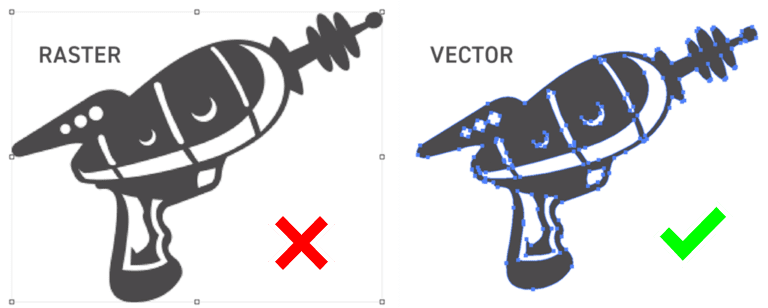
Accepted file formats
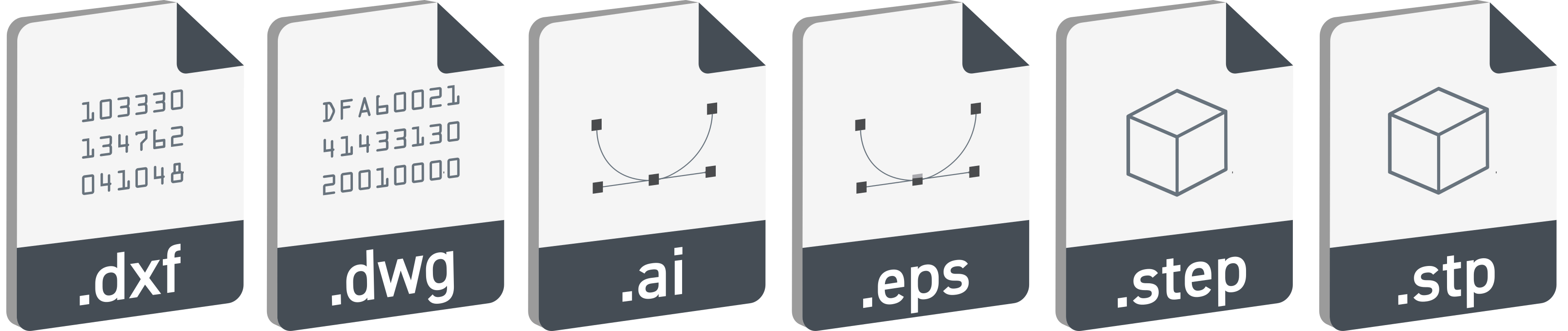
Instant pricing file formats accepted
- Vector formats for sheet and plate cutting: DXF, DWG, EPS, AI (Adobe Illustrator)
- 3D formats: STEP/STP
- For sheet/plate cutting, STEP files must follow our 3D file guidelines
- For billet CNC machining, STEP files must meet our CNC machining guidelines
Custom quoting file formats accepted
You can request a custom quote in any of the following file formats: .3dm, .ai, .dxf, .dwg, .eps, .f3d, .pdf, .sldprt, .svg, .step, or .stp.
Before requesting a custom quote, take a look at our service guidelines to confirm your part is within our capabilities and meets our requirements!
How designers can help
If you only have:
- a hand drawn sketch
- a template
…an available designer may be able to create a machine-ready CAD file from it.
Helpful resources
Raster to Vector Conversion Guide
Bottom line:
Send an accepted CAD file format to get your parts cut. If you don’t have one, an available designer can help convert your design so it’s ready for production.